


Mirror Link Car Display
3.917.00 Reviews
App Specs
- Version
- 1.2
- Updated On
- License
- Free
- Downloads
- 100,000+
- Developer
- Vidmark Inc.
- Categories
- Libraries & Demo
- Platform
- Android
Screenshots
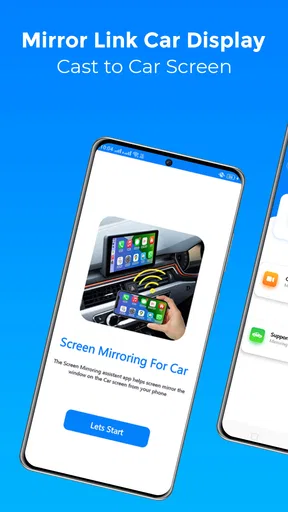
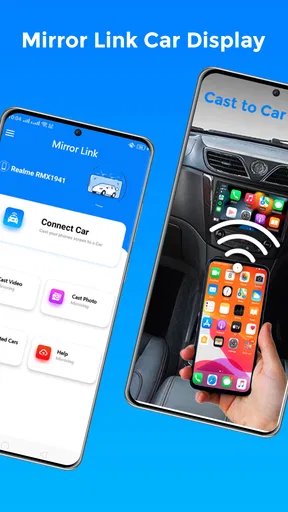
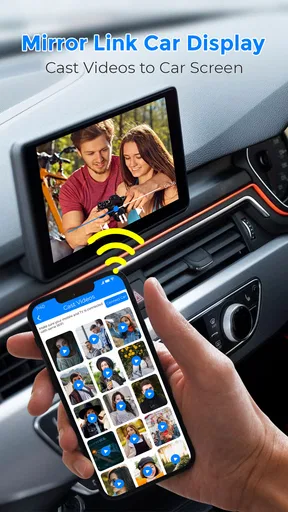
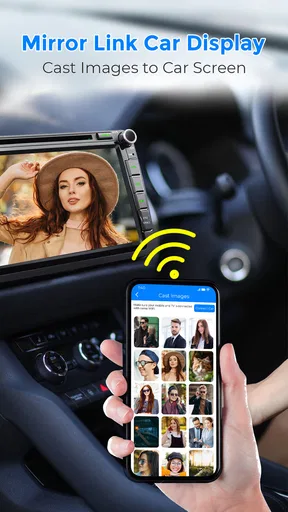
 Analysis by AppCompare
My experience with Mirror Link Car Display starts with an important distinction: a phone-to-dashboard connection can be useful, but the result depends on the phone, the car and the way their systems work together. I would treat this app as a possible bridge between devices, not as a guarantee that every phone screen or app will behave exactly as it does in your hand. That distinction matters most when you are planning a route, relying on a connection, or deciding whether to set things up before a drive.
What the connection changes on a real drive
When the connection is working, the appeal is straightforward: glance at the dashboard rather than handling a phone for every small adjustment. But mirroring does not remove the need to prepare. If you expect to use navigation, choose your destination and check the route before pulling away; if you want music, line up a playlist while parked. These small steps make the setup more useful and reduce the temptation to interact with a screen while driving.
Connectivity also affects what feels dependable. A dashboard display can make information easier to see, but it does not make a mobile network more reliable. Live traffic, streaming audio and online searches may still depend on the phone’s connection and the relevant service. In a weak-signal area, I would not assume that a mirrored screen will keep every live feature current. For a longer trip, it is sensible to think about route preparation and other options before leaving rather than discovering a coverage gap on the road.
Where it fits in everyday phone use
This kind of app makes the most sense for someone whose car already supports the relevant connection method and who wants to make better use of that car display. It is less compelling if you mainly use a phone mount, already have a dependable built-in system, or prefer a dedicated navigation unit. Those alternatives can be simpler because they do not require the same phone-to-car compatibility checks.
A realistic routine might be a weekday commute: while parked, connect the phone, set the destination and choose audio, then leave the phone alone once moving. On a familiar route, the dashboard view may be a convenience rather than a necessity; on an unfamiliar one, having directions in a more visible place can be helpful. Either way, I would still use the car’s controls and voice features only when they are supported and safe to use, and avoid treating screen mirroring as permission to browse or type behind the wheel.
There is a practical trade-off here that is easy to overlook: using the phone for mirroring can mean the phone is doing several jobs at once. Navigation, audio and a display connection may all contribute to battery use and warmth, particularly on a long journey. If you plan to keep the phone connected for a while, start with a healthy charge and consider a suitable in-car charging arrangement. That is not a promise that every setup will charge quickly; it is simply a way to avoid beginning a trip with a low battery and multiple tasks competing for it.
Compatibility is the first decision, not an afterthought
Before installing, I would check whether both the phone and the car support the connection method the app relies on. A USB socket alone does not prove that a vehicle supports phone mirroring, and a compatible car does not necessarily mean every phone will connect in the same way. If you are borrowing a vehicle or sharing a car, check its manual or dashboard settings while parked rather than troubleshooting after setting off.
Worth Reading Before You Choose

EA SPORTS FC Mobile 26 Is a Bigger Football Game, but It Takes Time

Flipboard Shows What News Apps Must Do Beyond the Feed

Switching to Android Auto Means Rethinking Your Driving Routine

Google Calendar Makes a Crowded Week Easier to Manage

Ludo King Makes the Most of the Minutes Between Plans

Baby Panda World Brings Quick Play to Modern Phones, but Its Game Library Feels Busy
It is also worth distinguishing this approach from the better-known phone projection systems built into some vehicles. Those systems can offer a more integrated experience, while a mirroring app may be useful where the matching support exists but may involve more setup or narrower compatibility. If your car already has a system that handles navigation and audio reliably, I would compare that experience first instead of adding another layer just because it is available.
When a connection fails, keep the recovery simple
If the dashboard does not show the phone, I would troubleshoot in a calm order: park safely, check that the cable and ports are seated, confirm the car is set to the right input, and reconnect only after checking the phone’s connection prompt. If that does not help, restarting the connection process is more sensible than repeatedly tapping through menus. For an intermittent issue, note whether it happens with one cable, one vehicle or one phone; that can help identify whether the trouble is in the link or in compatibility.
That recovery approach matters because a phone display is not something I would want to diagnose while moving. If the connection drops mid-trip, use the car’s ordinary controls or pull over somewhere safe before trying again. And if the same pairing problem returns, relying on the vehicle’s built-in navigation or a securely mounted phone may be the more predictable choice for that journey. A useful tool should fit the drive; it should not become a distraction to rescue.
Use data and attention deliberately
Mirroring itself should not be confused with a guarantee of offline access. Online maps, traffic updates, streaming and messaging can all involve network use through the phone or their own services, so I would check those apps’ settings and prepare anything important in advance. If you are watching mobile data, audio streaming is an easy place to be intentional: choose a lower-data option if the service offers one, or use content already available on the phone when appropriate.
There is also a privacy and attention consideration whenever a phone is shown on a shared dashboard. Before connecting in a family car or rental, close personal screens and notifications you would not want visible, and disconnect when you are finished. This is a practical habit rather than a special feature claim. The safest benefit comes from displaying only what you need for the drive, not from putting the whole phone within reach and treating it like a second handheld screen.
Getting Started with Mirror Link Car Display
First things first, setting up the Mirror Link Car Display app is a breeze. All you need is a compatible smartphone and a car that supports the MirrorLink technology. I downloaded the app from the Play Store, plugged my phone into the car’s USB port, and voilà, my phone's display was mirrored on the car’s screen. Easy peasy!
The app interface is smooth and intuitive. It doesn’t take a tech whiz to navigate through. Once connected, you can access your favorite apps like Google Maps, Spotify, and WhatsApp directly from your car’s dashboard. No more fumbling with your phone while driving, which, let’s be honest, is a game-changer for road safety.
Features That Stand Out
Now, let's talk features. The app supports a wide range of functionalities that make driving not just easier but also more enjoyable. Here’s what caught my eye:
- Navigation: The integration with GPS apps is seamless. I used Google Maps and Waze, and both worked like a charm, providing real-time traffic updates and turn-by-turn navigation.
- Music and Entertainment: Streaming music through Spotify or Apple Music is straightforward. The sound quality is top-notch, and you can easily switch between playlists without any hassle.
- Communication: Hands-free calls and messaging options keep you connected without taking your eyes off the road. I could send voice messages and make calls using voice commands effortlessly.
These features make the app incredibly versatile, turning your drive into a truly connected experience.
Performance and Usability
In terms of performance, the app runs smoothly with minimal lag. The mirroring process is quick, and I've noticed that the connection remains stable even on longer drives. It’s worth mentioning that the app is light on resources, so it doesn’t bog down your phone’s performance.
Usability-wise, the app’s interface is clean and user-friendly. The large icons and simple layout ensure that you can easily tap and swipe through options without getting distracted. Plus, the app supports multiple languages, making it accessible to a diverse range of users.
Compatibility and Connectivity
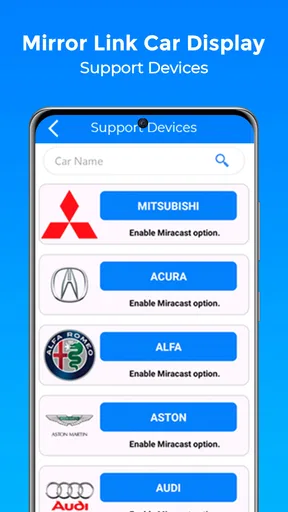
The Mirror Link Car Display app is compatible with a wide array of smartphones and car models. If your car’s system supports MirrorLink, you’re good to go. The app developers have done a fantastic job in ensuring broad compatibility, which is a big plus.
Connectivity is robust, and I didn’t face any disconnection issues during my testing. The app maintains a stable link between the phone and car, ensuring you stay connected without any hiccups.
Final Thoughts
So, is the Mirror Link Car Display app worth downloading? Absolutely. It’s a fantastic tool that enhances your driving experience by integrating your smartphone’s capabilities with your car’s infotainment system. Whether you're navigating through busy city streets or cruising down the highway, this app keeps your tech at your fingertips and your focus on the road.
In a world where staying connected is essential, this app makes sure you do so safely and conveniently. If you’re looking for a way to smarten up your driving routine, give it a try. You won’t be disappointed!
Who should give it a try—and who should pass
As an app in the Libraries & Demo category, this is best understood as a connection tool rather than a replacement for a car’s complete infotainment system. Vidmark Inc. is the developer, and the app is free to install, with in-app purchases listed at $14.99 per item. Its age rating is Everyone. Those details make trying it a relatively low-commitment option, but I would still check what any purchase covers before spending money.
The audience I would point toward it is someone who has a compatible phone and vehicle, is comfortable checking settings, and wants to experiment with putting phone content on the dashboard. I would skip it if you cannot verify MirrorLink support, need a guaranteed connection for an important trip, or are satisfied with your car’s existing system. A familiar, dependable built-in setup is more valuable than a new display if the new one creates extra steps or uncertainty.
It has an average rating of 3.9 from around 2.7 thousand ratings, with over 100 thousand installs. I take that as a sign that people are trying it, not as proof that it will work with every particular vehicle. Ratings can reflect very different combinations of phones, cables and dashboard systems. The most useful test is your own parked setup, using the exact phone and car you plan to pair.
A sensible first test before relying on it
For a low-risk trial, start at home or in a parked car rather than making the first connection during a departure. Check that the dashboard recognizes the phone, see how navigation appears, and test audio controls without moving. If you use messaging, learn what is visible and how you can handle it without looking away from the road. This short check helps separate a basic connection problem from an app-specific issue before it matters.
Try one task at a time during that first session. Start with navigation, then audio, rather than opening several apps and trying to judge everything at once. If the display behaves differently from the phone or a control is awkward, that is useful information: you can decide whether the arrangement is comfortable or return to a phone mount or the car’s own interface. The point is not to force a perfect setup, but to find out whether this particular connection improves your routine.
Version 1.2 is the current release, and the app requires Android 9 or later. That gives Android users a quick compatibility check before downloading; the car still needs to support the connection method as well. The key decision is therefore two-sided: meeting the phone requirement alone is not enough, and a vehicle connection alone does not settle whether your phone will cooperate.
My connectivity verdict
What I like about the idea is its potential to make a compatible dashboard more useful without requiring me to hold the phone for every glance. The trade-off is that this benefit rests on a chain of dependencies: phone support, vehicle support, a working connection and whatever network access the apps on the phone need. If one part is unreliable, the convenience can disappear quickly.
I would judge it by one practical question: does it make your usual drive easier while keeping your attention on driving? If the answer is yes after a calm, parked test, it may be worth keeping in your setup. If compatibility is uncertain or you find yourself fiddling with the connection, use the simpler option you already trust. For me, that is the honest way to approach a mirroring app: value the dashboard view, prepare for network-dependent tasks, and never let the connection become more important than a safe, uncomplicated trip.
Pros
- Seamless phone integration with car display.
- Supports both Android and iOS devices.
- User-friendly interface for easy navigation.
- Real-time notifications on car screen.
- Enhances driving safety with voice commands.
Cons
- Limited app compatibility with some models.
- Initial setup can be time-consuming.
- May require stable internet connection.
- Occasional connectivity issues reported.
- Some features locked behind paywall.
FAQs for Mirror Link Car Display
What is Mirror Link Car Display and how does it work?
Mirror Link Car Display is an application that allows you to connect your smartphone to your car's infotainment system. By mirroring your phone's screen, you can access apps, navigation, music, and more directly from your car's display. The app uses a wired or wireless connection, depending on your vehicle's compatibility, to provide a seamless integration between your phone and car.
Is Mirror Link Car Display compatible with all vehicles and smartphones?
Compatibility can vary depending on both your smartphone and car model. Mirror Link is supported by several major car manufacturers and smartphone brands. However, it's crucial to check your car's manual and the app's specifications to ensure compatibility. Some older or less common models may not support the app, so verifying before downloading is recommended.
What are the primary features of Mirror Link Car Display?
The app offers a range of features, including navigation, music streaming, and access to communication apps. It allows for hands-free calling and voice commands, enhancing safety while driving. Additionally, it provides a user-friendly interface on your car's display, mirroring your phone's functions to minimize distractions and keep your focus on the road.
Are there any costs associated with using Mirror Link Car Display?
While the app itself might be free to download, there could be associated costs depending on your usage. Some features might require in-app purchases or subscriptions, especially for premium navigation or music services. It’s also important to consider any data usage fees from your mobile carrier, particularly if you use streaming services frequently.
What are the pros and cons of using Mirror Link Car Display?
Pros include improved convenience and safety by minimizing phone handling while driving. It offers easy access to apps and media directly from your car's display. However, cons can include compatibility issues with certain devices and potential lag or connectivity problems. It’s essential to weigh these factors based on your specific needs and vehicle setup.


